

CrewCost vs. QuickBooks Desktop for Contractors
Desktop was the best QuickBooks for contractors. Intuit has stopped selling most of it to new customers, and what remains is priced per seat. CrewCost keeps what Desktop did well and adds what it never could.
| QuickBooks Desktop | CrewCost | |
|---|---|---|
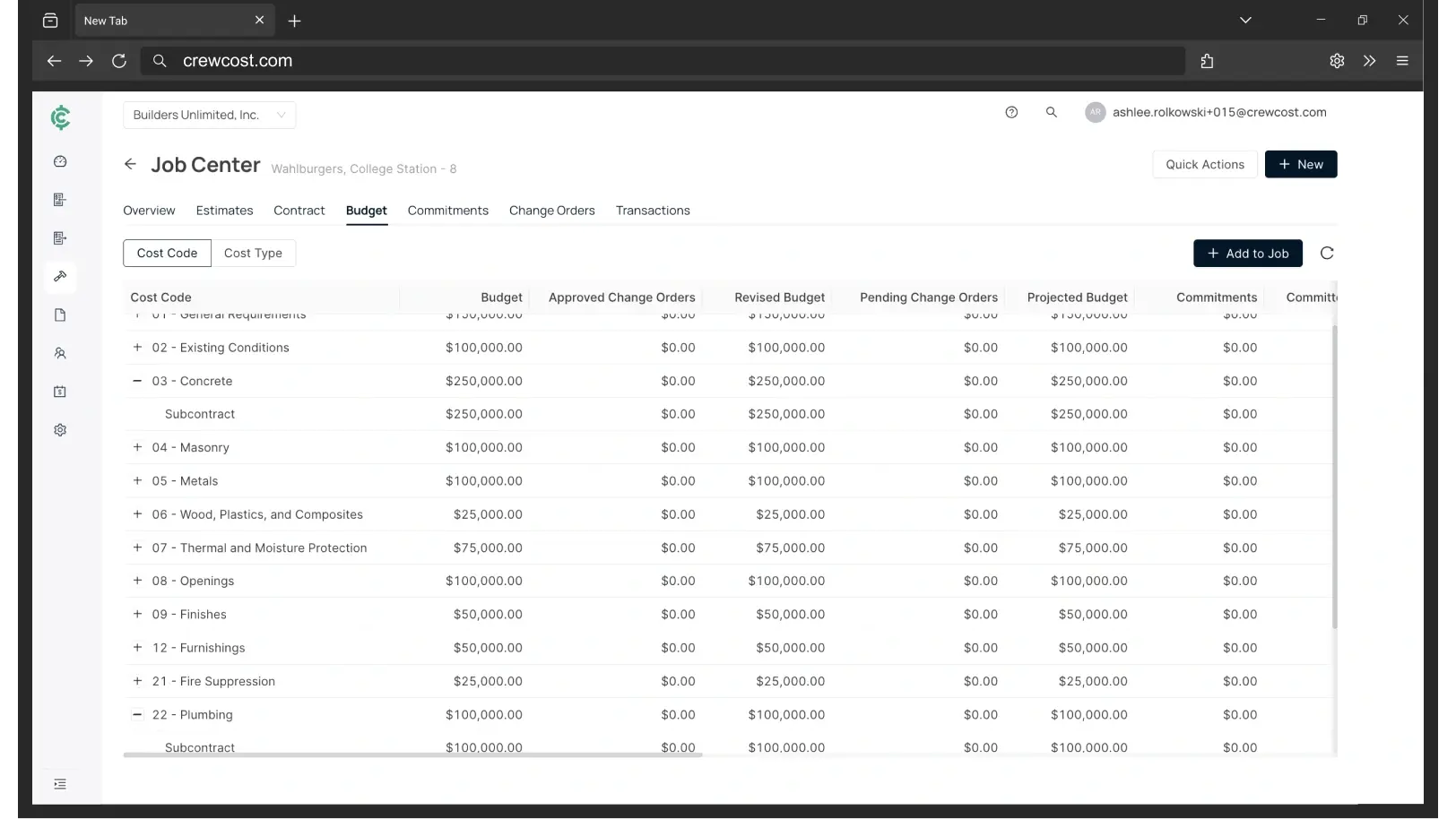
| Budget | One flat item list | Three levels of cost codes, by cost type |
| WIP report | Spreadsheet | Automatic |
| Progress billing | Invoice against an estimate | Pay app from the prime contract |
| Retainage | Negative line item | Native tracking + release |
| How it’s priced | Per seat | Flat, unlimited users |
Side by side: what each one does without a workaround
If you run Desktop today, the left column is your current process. The right is the same task in CrewCost.
| QuickBooks Desktop | CrewCost | |
|---|---|---|
| Job cost structure | Cost codes built as Items and sub-items on one list | Three levels of cost codes, plus cost type: labor, material, equipment, subcontract, other; tied to the GL |
| Contracts | Estimates and purchase orders | Prime contracts and subcontracts that build the schedule of values, the pay app, and the WIP |
| When a cost reaches the job | Only if entered on the Items tab | Every bill, sub pay app, and payroll run posts by default |
| Committed costs | A report, in Enterprise only | On the budget the day the sub or PO is issued |
| Cost to complete | Not available | On every budget line, with gain or fade |
| WIP / over-under billing | Manual WIP accounts and a spreadsheet | Automatic. Job costs are a subledger of the GL, so WIP ties out |
| Retainage | Negative line items and custom reports | Tracked natively on both sides, through release |
| Labor burden on the job | Depends on setup; usually incomplete | Pay, taxes, and benefits post to the job |
| Accounts payable | Keyed by hand, approvals by email | Captured from inbox, matched, routed to PMs |
| Field access | A server and a VPN | Cloud; PMs approve from anywhere |
| Implementation & users | Your accountant; per-seat licenses | Included; unlimited users |
One flat item list. Try building a real budget on it.
Desktop job-costs through the Item list: one flat list of items and sub-items standing in for cost codes. It works until the job needs structure. Try building Concrete, then Rebar and Forming under it, then labor, material, equipment and subcontract under each of those, and then getting a crew's hours and a lumber receipt to land on the right line. Three places that shows up:
Everything Desktop did, without the item list
The question isn't what Desktop costs. It's what replaces it.
Desktop is cheap and it will stay cheap. The cost that decides this sits on the other side of the move, and for most contractors leaving Desktop it is a three-vendor stack before anyone has opened a budget. Every figure below is for the same company: an $8M contractor with 18 employees and four people in the office.
“We’re now able to track our labor production against our estimated costs automatically.”
Your three options off QuickBooks Desktop
Questions Desktop contractors ask
Is QuickBooks Desktop being discontinued?
Partly. After September 30, 2024, Intuit stopped selling new subscriptions of Desktop Pro Plus, Premier Plus, Mac Plus and Enhanced Payroll to U.S. customers. Existing subscribers can keep renewing, and Enterprise is still sold. In practice, a contractor on Pro or Premier has one Desktop path left, and it is Enterprise at Enterprise prices.
Should a contractor move from Desktop to QuickBooks Online?
QuickBooks Online is a real cloud product, but it job-costs the same way Desktop does — through items and classes. You get the cloud without getting a budget, a WIP schedule, or retainage. If the reason you are leaving Desktop is job costing, Online does not solve it.
How is CrewCost different from Enterprise Contractor Edition?
Contractor Edition adds reports on top of the same item-based structure. CrewCost replaces the structure: a budget with three levels of cost codes and a fourth by cost type, tied to the general ledger; real prime contracts and subcontracts rather than estimates and purchase orders; and WIP and pay apps that come out of those contracts rather than a spreadsheet.
What comes over from Desktop when we switch?
Your chart of accounts, items, customers, vendors and trial balance, plus open AR and AP. For jobs in flight we bring over the budget by cost code and job-to-date costs, so you finish the job in CrewCost rather than in two systems. Implementation is included and we do the mapping with you rather than handing you a template.
We use Procore with the Desktop connector. What happens to that?
CrewCost has a native Procore integration, so the connector goes away. Jobs, budgets, prime contracts, commitments, subcontractor invoices and direct costs sync between the two systems, vendors and customers stay in sync, and payments flow both ways.
Build confidently.
Bring one of your jobs. We'll show you the budget, the WIP schedule, and retainage tracked through release.