
CrewCost vs. ComputerEase
ComputerEase is a 43-year-old Windows accounting system Deltek bought in 2019 and now hosts by subscription. Its own users describe DOS-era keystrokes, a dated field app, and support that got worse after the acquisition. CrewCost is cloud construction accounting with the field inside it, for unlimited users, at one price.
| ComputerEase | CrewCost | |
|---|---|---|
| Built for | The accounting office, 1983 | The office and the field |
| Job costing | By cost code, keyed in the office | By cost code, from the field to the ledger |
| Where it runs | Windows, hosted by Deltek or on your server | Cloud, nothing to host |
| The field | FieldEase app; rated lowest by its own users | Built in, any device |
| How it’s priced | Per user and per module, plus payroll filing services | Flat, unlimited users |
Side by side: what each one does, and where it does it
ComputerEase does its accounting in a hosted Windows session, keyed in the office. CrewCost does it where the cost happens. Read the left column as the workflow you have; the right as the one you would have.
| ComputerEase | CrewCost | |
|---|---|---|
| Job cost structure | Cost codes and cost types; real construction accounting | Three levels of cost codes, plus cost type: labor, material, equipment, subcontract, other; tied to the GL |
| When a cost reaches the job | When the office enters it in the right module | Every bill, sub pay app, and payroll run posts by default |
| Committed costs | Tracked through the PO and subcontract module | On the budget the day the sub or PO is issued |
| Cost to complete | In reports, maintained by hand | On every budget line, with gain or fade and ECAC |
| WIP / over-under billing | Built in; reports run in the hosted session | Automatic. Job costs are a subledger of the GL, so WIP ties out |
| Retainage | Tracked | Tracked natively on both sides, through release |
| Payroll | Union and certified, multiple rates per check; a separate module | Inside CrewCost; hours by cost code post to the budget with burden, paid by direct deposit |
| Field time & expenses | FieldEase app; mobile is the lowest-rated category in reviews | Mobile time and expenses built in, unlimited users |
| Accounts payable | Keyed in the office; receipt capture in the field app | AI-powered capture, coding and PM approval from the phone |
| Procore | Partner integration for jobs, budgets, POs, subcontracts, invoices and time; no payments | Native two-way sync, payments included |
| Reporting | Stock reports; no drill from report to transaction, slow cloud printing | Built in, by job, cost code, and period, drill to the entry |
| Implementation & users | Licensed per user and per module, with required training; custom support billed | Included; unlimited users |
A 1983 desktop in a 2026 browser window.
ComputerEase was built in Cincinnati in 1983 and sold on its own for 36 years before Deltek bought it. Hosting it in the cloud did not change what it is: a Windows application driven by keystrokes, with a mobile app bolted on later and a support organization its customers say has thinned out since the acquisition. In independent reviews the accounting and certified payroll score well; the interface, the field app, the speed and the cost of help do not. Three places that shows up:
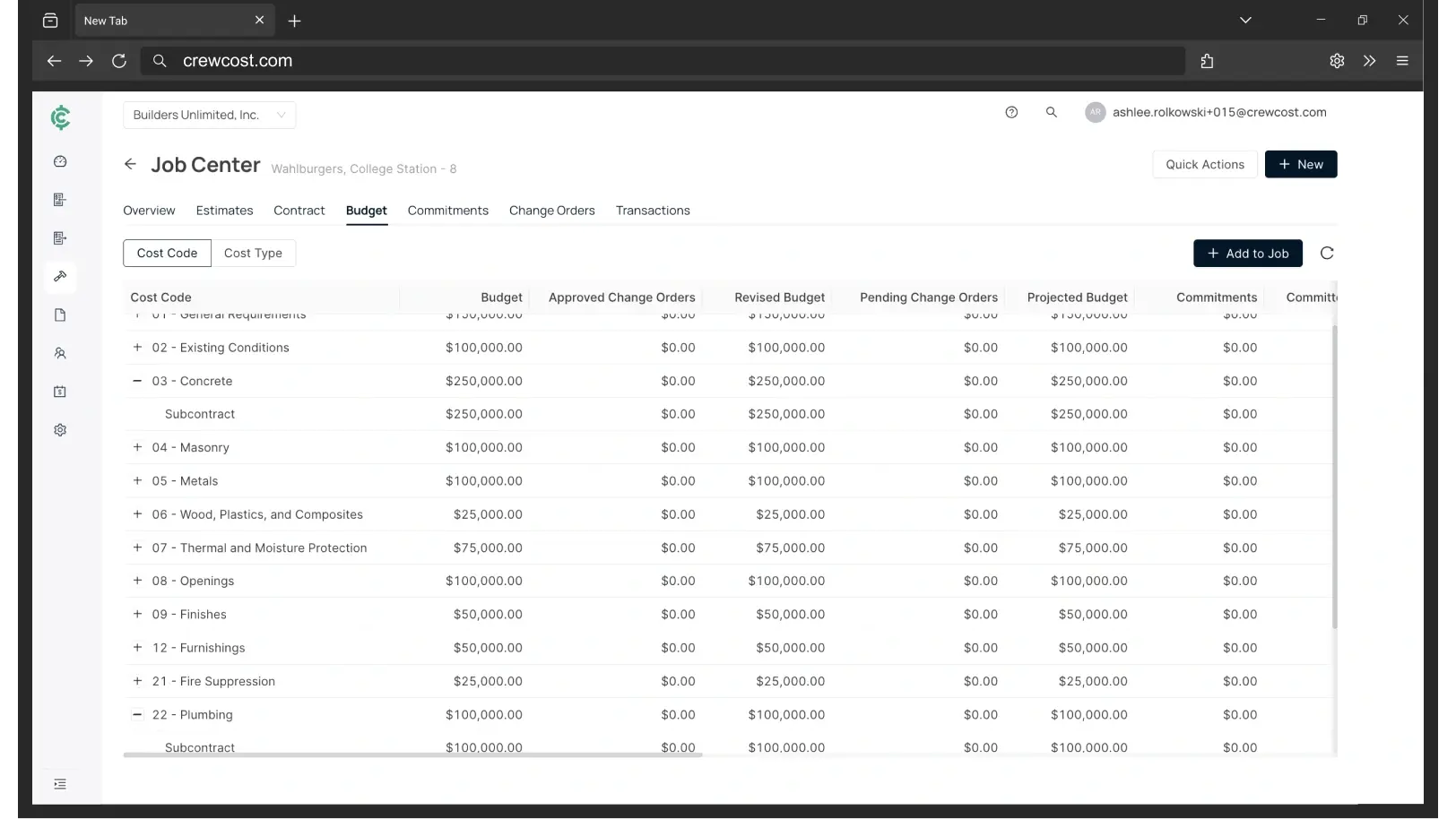
Construction accounting that starts where the cost happens
ComputerEase is sold by the module. The price is the sum of the quotes.
Deltek does not publish a price, so we asked a customer. A mid-sized mechanical contractor in Texas running ComputerEase today pays about $36,000 a year for 15 users, roughly $10,000 more for W-2, 1099 and ACA filing services, and more again for field time and expense capture: about $50,000 a year all in. Every figure below is for the same company: an $8M contractor with 18 employees and four people in the office, before payroll.
“We’re now able to track our labor production against our estimated costs automatically.”
Your three options if ComputerEase is on the shortlist
Questions contractors ask about ComputerEase
What does ComputerEase cost?
Deltek doesn’t publish pricing, and the review-site figure of $5,000 is a starting licence, not what customers pay. A mid-sized mechanical contractor in Texas running it today pays about $36,000 a year for 15 users, roughly $10,000 more for W-2, 1099 and ACA filing services, and more for field time and expense capture: about $50,000 a year in total. Payroll, purchase orders and subcontracts, field apps, service and equipment are separate modules, each with required training. CrewCost is $999 a month for contractors under $10M, unlimited users, implementation included.
Is ComputerEase cloud-based?
ComputerEase is a Windows application. You can run it on your own server or in Deltek’s hosted environment, which delivers the same desktop through a browser or Citrix session; reviewers describe it as slow to print and navigated by keystroke. FieldEase is the mobile app for time and expenses. CrewCost is cloud-native: the same system on any device, nothing to host, patch or upgrade.
We run union and certified payroll in ComputerEase. Does CrewCost?
ComputerEase’s payroll module handles union and certified payroll well, including multiple pay rates on one check, and its users say so. CrewCost Payroll runs inside the accounting system: processing, direct deposit and tax filing in all 50 states, with hours entered by cost code so labor and burden post to the job budget without a second step. If union reporting, prevailing wage or certified payroll are central to your business, raise it on the demo first and we will tell you exactly where we are.
What happened to ComputerEase after Deltek bought it?
Deltek, a government-contracting and professional-services ERP vendor, acquired ComputerEase in 2019 and folded it into its construction line alongside a Procore partnership. The product kept its architecture. In reviews since, the most common complaint is support: customers say custom help is expensive and slower than it was, that the field app has not kept up, and that the product is slow to change.
Which is better for a $5 to $25M contractor?
If your office is content to key in the job after the fact in a hosted Windows session, and certified payroll is the feature that decides it, ComputerEase will do the accounting. If your PMs and superintendents need the budget in their hands, your crews should enter time by cost code from the job, and your AP should be approved from a phone rather than an inbox, CrewCost was built for that, at a flat price that does not grow with users or modules.
What comes over from ComputerEase when we switch?
Your chart of accounts, jobs and cost codes, customers, vendors and trial balance, plus open AR and AP. For jobs in flight we bring over the budget by cost code, job-to-date costs, and retainage balances, so you finish the job in CrewCost rather than in two systems. History stays in your ComputerEase archive. Implementation is included and we do the mapping with you.
We use Procore with ComputerEase. What changes?
ComputerEase’s Procore integration syncs jobs, budgets, subcontracts, change orders, POs, invoices and time entries between the two systems. CrewCost’s native integration does that and adds payments: jobs, budgets, prime contracts, commitments, subcontractor invoices and direct costs sync both ways, vendors and customers stay in sync, and payments flow between the two.
Build confidently.
Bring one of your jobs. We'll show you the budget, the WIP schedule, and retainage tracked through release.