Every $5M to $50M GC says it on the first call: I can’t tell which jobs are making money because I don’t trust the numbers. CrewCost is the construction accounting system built to make that sentence go away.
Procore has a budget. QuickBooks has a P&L. Your PM has a spreadsheet, your controller has another one, and your bonding agent wants a WIP schedule none of them produce. Every month somebody spends days reconciling systems that were never built to agree.
“Procore says one number. QuickBooks says another.”
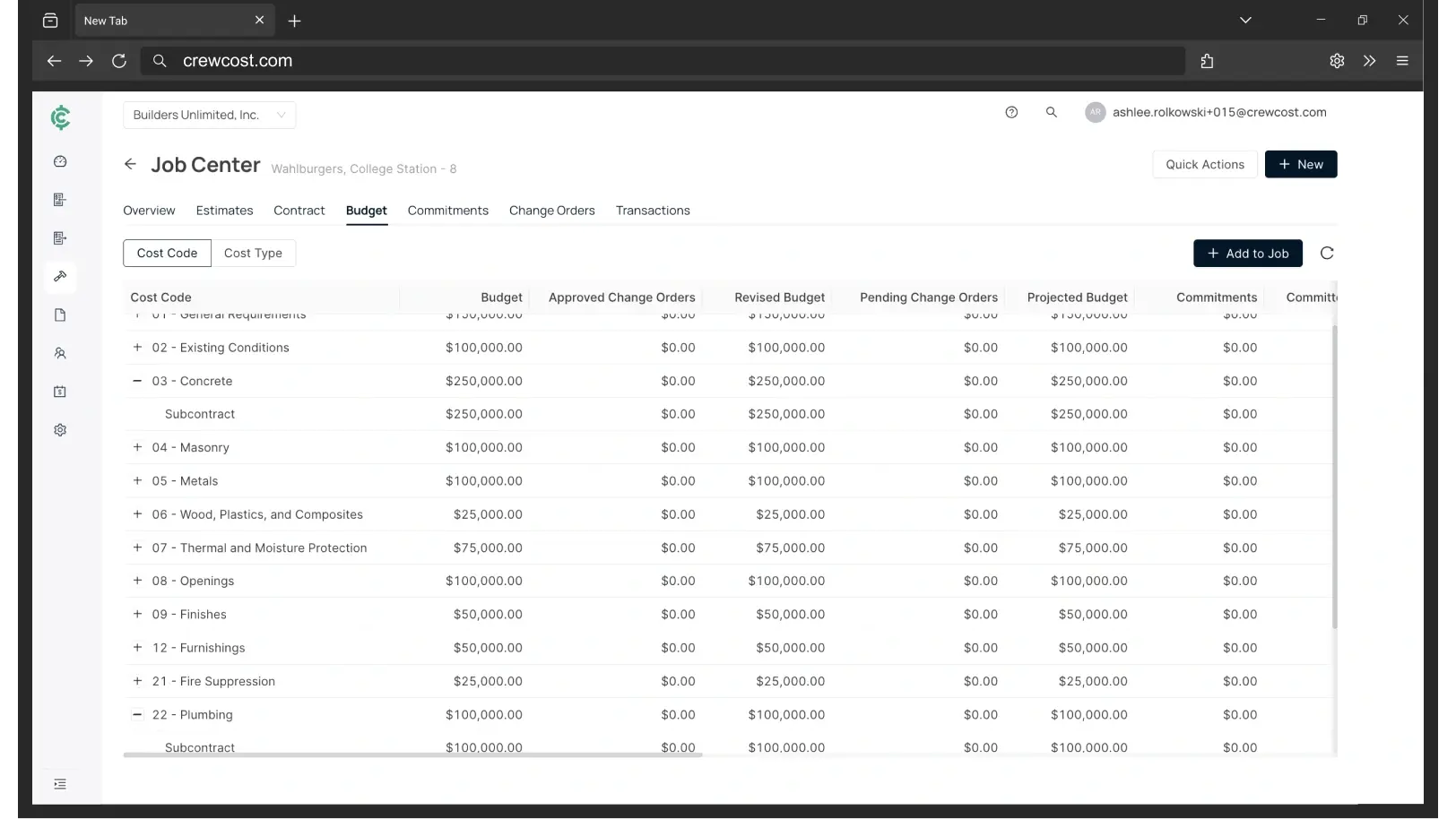
In CrewCost, job costing is a subledger of the general ledger. A cost can't hit a job without hitting the books, so the budget and the financials are the same numbers. Procore syncs to it natively.
“Labor burden never makes it to the job.”
Crew hours are entered by cost code in CrewCost, and payroll posts actual labor with real burden to the budget line, regular and overtime split. No inflated weighted rates to approximate it.
“The WIP schedule lives in a spreadsheet.”
Over and under billings by job, every month, with estimated cost at completion driving projected profit. The WIP your bonding agent and bank ask for, ready when they ask, from the same ledger.
“Sub pay apps sit in somebody’s inbox.”
AI-powered AP captures sub pay apps and supplier bills from your inbox, matches them to the commitment and cost code, and routes them to the PM to approve from the field, without access to the books.
One job, start to finish
How a GC runs a job in CrewCost
Pick a step. Every screen is the same system, and every number ties back to the ledger.
What’s included
One system, one price, unlimited users
Job costing as a subledger of the GL
Every job cost is a general ledger transaction. Budgets, WIP and financials agree because they are the same numbers.
A living budget
Estimate, committed, actual, cost to complete and EAC on every line, including upstream and downstream change orders. Gain or fade before it's history.
AI-powered accounts payable
Sub pay apps and supplier bills captured from your inbox, matched to commitments and cost codes, approved by PMs from the field. Lien waivers attached to the bill they cover.
Time tracking with real burden
Crews enter hours by cost code from the phone. Payroll posts pay, taxes and benefits to the job, regular and overtime split.
Progress billing and retainage
Prime contracts and subcontracts build the schedule of values and the pay app. Retainage receivable and payable tracked on the balance sheet through release.
Procore, natively
If you run Procore, jobs, budgets, contracts, commitments, invoices, costs and payments stay in sync both ways. If you don't, CrewCost stands on its own.
Coming from
Outgrown QuickBooks? Quoted Sage? Start here.
What each one costs, where it runs out for a GC, and what comes over when you switch.
Why don’t my QuickBooks reports match my Procore budget?
Because they are two systems with two sets of rules. QuickBooks reports can show different totals depending on the report path, and a Procore budget only sees what an integration sends, usually without labor burden, so teams load inflated rates to approximate it. In CrewCost, job costing is a subledger of the general ledger: every cost that hits a job is a GL transaction, so the budget and the books are the same numbers.
Do we need Procore to use CrewCost?
No. CrewCost is a complete construction accounting system on its own, and many GCs use it as their only system. If you run Procore, the native integration means your project team keeps working in Procore and your accounting team works in CrewCost with no double entry.
How does CrewCost handle subcontracts, lien waivers and retainage?
Subcontracts and POs post as committed costs against the job budget the day they are issued. Sub pay applications come in through AI-powered AP, match to the commitment, and route for PM approval. Lien waivers attach to the bill they cover and are tracked per sub and per job, and insurance certificates are tracked by vendor, so your team can see what is on file before paying. Retainage you withhold from subs is tracked as retainage payable, and retainage withheld from you by owners as retainage receivable, both on the balance sheet, no side spreadsheets.
What is WIP reporting and do I need it?
A work-in-progress schedule compares what you have billed on each job to what you have earned based on cost to date, showing over- and under-billings. Your bonding agent, your bank and your CPA all want it, and QuickBooks does not produce it. CrewCost generates it automatically, with estimated cost at completion from the job budget driving projected profit as the job evolves.
How does CrewCost forecast a job?
Every budget line carries cost to complete and estimated cost at completion, calculated from actual costs, committed costs, non-committed costs, and upstream and downstream change orders. You see whether a line is going to gain or fade while the job is still running, and that estimate flows straight into the WIP report.
How hard is it to switch from QuickBooks or Sage?
Implementation is included and most GCs are live in days, not months. Your chart of accounts, jobs and cost codes, customers, vendors and trial balance come over, plus open AR and AP; for jobs in flight we bring the budget by cost code and job-to-date costs so you finish the job in CrewCost. The cleanest switch is at the start of a year, and mid-year migrations are supported.
Build confidently.
Bring one of your jobs. We'll show you the budget, the WIP schedule, and where the margin went, in your numbers.