
Choosing a construction accounting software may seem like a simple decision, but it actually carries a lot of weight for your business. Do a quick Google search on the best accounting products, and you’ll probably see a lot of ads for QuickBooks Online. Advertised as an easy-to-use, smart tool for businesses, it’s become an instantly recognizable platform, and one that many smaller contractors go with when they start their business. What those ads won’t tell you though, is that QuickBooks isn’t built to meet the unique needs of construction companies.
Understanding QuickBooks for Construction Businesses
QuickBooks markets itself as a comprehensive business accounting solution that can work for construction companies. The platform offers basic job tracking, expense categorization, and invoicing features that might seem appealing to contractors just starting out. QuickBooks Online and QuickBooks Desktop both include some project-based accounting capabilities, allowing users to assign income and expenses to specific jobs.
On the surface, this sounds like it should work for construction accounting. After all, construction is fundamentally about managing multiple projects simultaneously, tracking costs, and ensuring profitability on each job. However, as we'll explore, the reality is that QuickBooks' generic approach falls short of what construction companies actually need to run their businesses effectively.
🎥 Watch the video for 3 reasons QB doesn't work for construction accounting.Here are three reasons why QuickBooks isn’t the best accounting software for construction, and where to look instead.
Key Takeaways
- Job costing is the heart and soul of construction accounting, allowing companies to track the financial performance of projects from start to end. QuickBooks Online offers job costing, but it’s not robust or accurate enough for contractors.
- QuickBooks doesn’t support work-in-progress reporting, making it harder to manage projects and forecast future cash flow.
- Tracking both upstream and downstream retainage payments is crucial to ending projects on a good note. QuickBooks Online can’t do this.
3 Reasons Why QuickBooks Is the Wrong Choice for Construction Companies
QuickBooks does a lot of things really well, but at its core, it’s a one-size-fits-all platform. Because construction has unique needs specific to the industry, that approach just doesn’t work well for construction companies. Here’s why.
1. It Doesn’t Support Accurate Job Costing
Technically, QuickBooks does offer job costing as a tool. When our team of veteran contractors and construction accounting experts tested it though, we found that it doesn’t come close to the kind of accuracy and detail today’s contractors need. A robust, accurate job costing module isn’t just a nice-to-have, it’s a necessity for any construction accounting software - and this is where QuickBooks falls short.
Standard QuickBooks Online restricts you to basic class tracking. Unless you upgrade to the new Intuit Enterprise Suite, which introduces 'Dimensions' for granular cost coding, or QuickBooks Online Advanced, you will struggle to track labor hours by trade or view real-time 'estimated versus actual' reports without external integrations.This makes it nearly impossible to make informed decisions during a project's lifecycle.
Contractors need to be able to measure the financial performance of their projects from start to finish. The more granular you can get with this data, the better, allowing you to course correct and keep each job on track to meet its financial goals. Without a good tool for job costing, you’re left guessing where your money is going, ultimately leading to potential budget overruns and less profit.
2. You Can’t Use WIP Reports in QBO
Job costing gives you an overview of how one job is doing, while work-in-progress (WIP) reports let you track financial performance across all your open jobs. Without this in your accounting system, you risk working on projects without the data you need to manage billings and monitor your backlog. This kind of information gap can make it much harder to manage projects efficiently and forecast future cash flow.
If you want to create WIP reports in QuickBooks, you’ll have to go through the headache of figuring out third-party integrations or upgrading to the Enterprise Suite.
3. Accounting for Retainage Isn’t an Option
Getting paid in construction isn’t as simple as submitting an invoice and waiting for a deposit. Retainage holdback is a common part of the job cycle, but it’s not something most generic accounting systems include.
Managing both upstream and downstream retainage is absolutely critical for keeping a healthy cash flow and completing projects successfully. Managing retainage in basic QuickBooks Online requires a manual, multi-step accounting workflow that can be prone to errors. While QuickBooks Desktop Enterprise and the new Enterprise Suite offer better support for holdbacks, standard versions lack a simple 'retainage' button, forcing you to manage compliance and collections carefully.
QuickBooks Construction Features: What's Actually Available
While QuickBooks markets itself as suitable for construction businesses, it's important to understand what construction-specific features are actually available and where they fall short.
Progress Invoicing Capabilities
QuickBooks does support progress invoicing, allowing you to bill clients based on project milestones or completion percentages. However, this feature is quite basic compared to what construction companies actually need. You can create progress invoices, but tracking change orders, managing multiple billing schedules, and handling complex payment applications becomes cumbersome without construction-specific workflows.
Subcontractor Payments and 1099 Tracking
QuickBooks can track subcontractor payments and generate 1099 forms at year-end. This is one area where QuickBooks performs adequately for smaller contractors. You can set up vendors as subcontractors, track payments throughout the year, and use QuickBooks' 1099 preparation tools. However, managing subcontractor compliance, lien waivers, and insurance certificates requires additional manual processes or third-party tools.
Construction-Specific Reports
QuickBooks offers basic project profitability reports and job costing summaries, but these fall far short of the construction-specific reporting contractors need. You won't find detailed WIP reports, cash flow projections based on construction schedules, or comprehensive job cost analysis that breaks down performance by cost code or phase. Most contractors end up exporting data to Excel to create the reports they actually need for decision-making.
QuickBooks Versions: Online vs Desktop for Construction
When considering QuickBooks for construction, contractors often wonder whether QuickBooks Online or QuickBooks Desktop is the better choice. QuickBooks Desktop has historically offered more robust job costing features, while QuickBooks Online provides cloud accessibility but with more limited construction functionality. Neither version, however, provides the comprehensive construction accounting capabilities that growing contractors need. Both require significant workarounds and third-party integrations to handle complex construction workflows.
Integration with Construction Management Software
Most "construction accounting solutions" out there are actually integrations built on top of QuickBooks. These integrations can work, but add an additional layer of complexity into your tech stack. On top of that, most companies charge extra for the "connector" to integrate the two. Rather than seamlessly connecting field operations with accounting, these integrations often create more work and potential for errors.
Is QuickBooks Right for Small Construction Companies?
Small construction companies often gravitate toward QuickBooks because of its low cost and familiar interface. While QuickBooks might seem adequate when you're running a few small projects, problems emerge quickly as your business grows. Even small contractors need accurate job costing, retainage tracking, and construction-specific reporting to stay profitable.
As soon as you're managing several jobs at once and you get up past $5M in revenue, that's where a platform like CrewCost starts to make more sense.
Why Choose CrewCost?
While QuickBooks does a great job helping small business owners manage core accounting functions, it doesn’t offer enough construction-specific tools to get the job done. As you take on larger, more challenging projects, QuickBooks will struggle to meet your needs, quickly becoming a bottleneck in your operations.
For a line-by-line comparison, see CrewCost vs. QuickBooks Online.
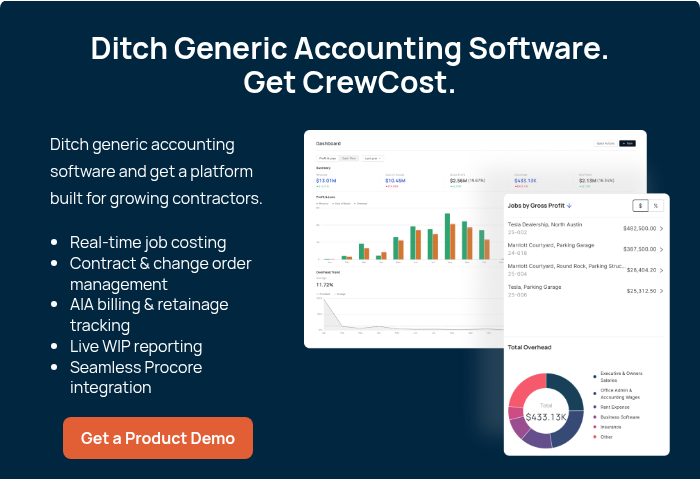
CrewCost on the other hand, is an accounting solution designed specifically for construction contractors. Our 100% cloud-based construction accounting software provides an affordable, modern, and easy-to-use experience with all the tools you need right out of the gate — no third-party integrations needed. Schedule a demo and see how CrewCost can help you build a more profitable construction business.